
Loady for Carriers
FAQs for Loady users
In many submodules, free text fields are available that can be used. If the data could benefit from a structured field (e.g., recurring data), please contact the Customer Success Team. We will work with you to find a solution.
Missing dropdown values can be requested in the same way. If it's a value commonly used as a standard in the (chemical) logistics environment, it can be added quickly.
In cases where free text fields are not maintained in all input languages available on Loady, Loady defaults to the standard language English . This means that free text fields must always be maintained in at least English. Otherwise, data in free text fields cannot be saved. If Loady is used in another language, e.g., German, to maintain the content in English, the input language must be changed via the language selection for free text fields to English.

If the data is only maintained in English, the English entry will be displayed as a fallback when Loady is used in another language.
Currently, Loady offers copy functions for various data and objects. The existing copy functions are presented below:
Copy functions for Company Products:
- Copying the entire company product
- Navigate to the product list via the navigation bar
- Click the copy icon in the top right corner
- In the pop-up, select the appropriate company and the company product to be copied
- The copied company product appears with the suffix (copy) in the product list for further editing

Copying the module Cleaning Requirements
- Navigate to the Cleaning Requirements of the company product into which the existing Cleaning Requirements of another company product are to be copied
- Click the copy icon in the top right corner
- In the pop-up, select the appropriate company and the company product from which the Cleaning Requirements are to be copied
- The Cleaning Requirements will be copied and will overwrite existing data
Copying Previous loading restrictions
- Navigate to the Previous loading restrictions of the company product into which the existing Previous loading restrictions of another company product are to be copied
- Click the copy icon in the top right corner
- In the pop-up, select the appropriate company and the company product from which the Previous loading restrictions are to be copied
- The Previous loading restrictions will be copied and will overwrite existing data
Copy functions for Inbound and Outbound Products
- Navigate to a module of an Inbound or Outbound Product, into which data is to be copied
- Click the copy icon in the top right
- In the pop-up, select the appropriate company, the appropriate Site, the appropriate Loading Point, the desired modules, and the appropriate Inbound or Outbound Product from which requirements are to be copied
- The desired requirements will be copied into the selected modules, overwriting existing data. Important: Only data from selected modules will be copied and overwritten. If modules are not selected, the existing data will remain unchanged
If an integration is performed via the Loady API, the reference numbers of the Ship-to-Parties from the ERP/TMS system must be used for creating Business Partners on Loady.
Loady currently does not support PDF uploads. You can upload the PDF to a website and insert a link as a URL in the corresponding free text field in Loady.
If you have general questions about Loady, please contact support@loady.com. If your questions specifically relate to Previous Loading Restrictions or ePLR-Check, please contact plr-support@Loady.com
All questions that are related to Loady but concern processes or systems within the customer's company must be directed to the respective responsible parties within the company (e.g., IT department, application owner, administrators, support mailboxes).
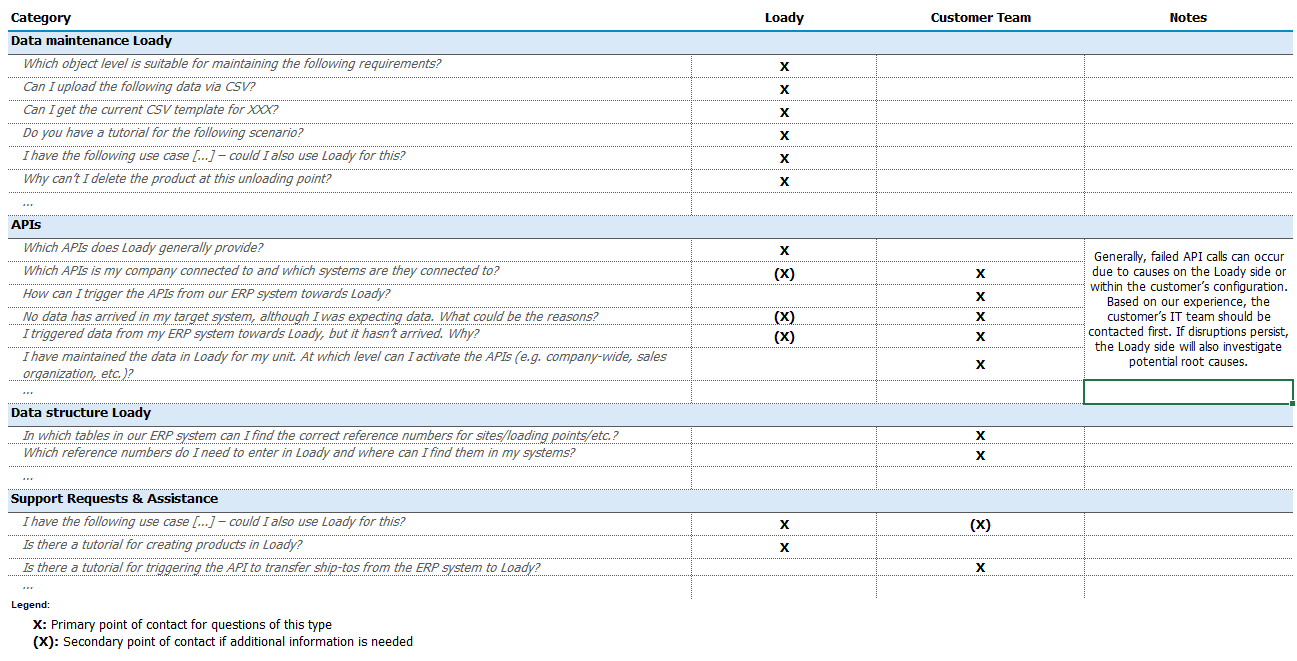
The attached table shows which topic categories Loady or your own team can support.
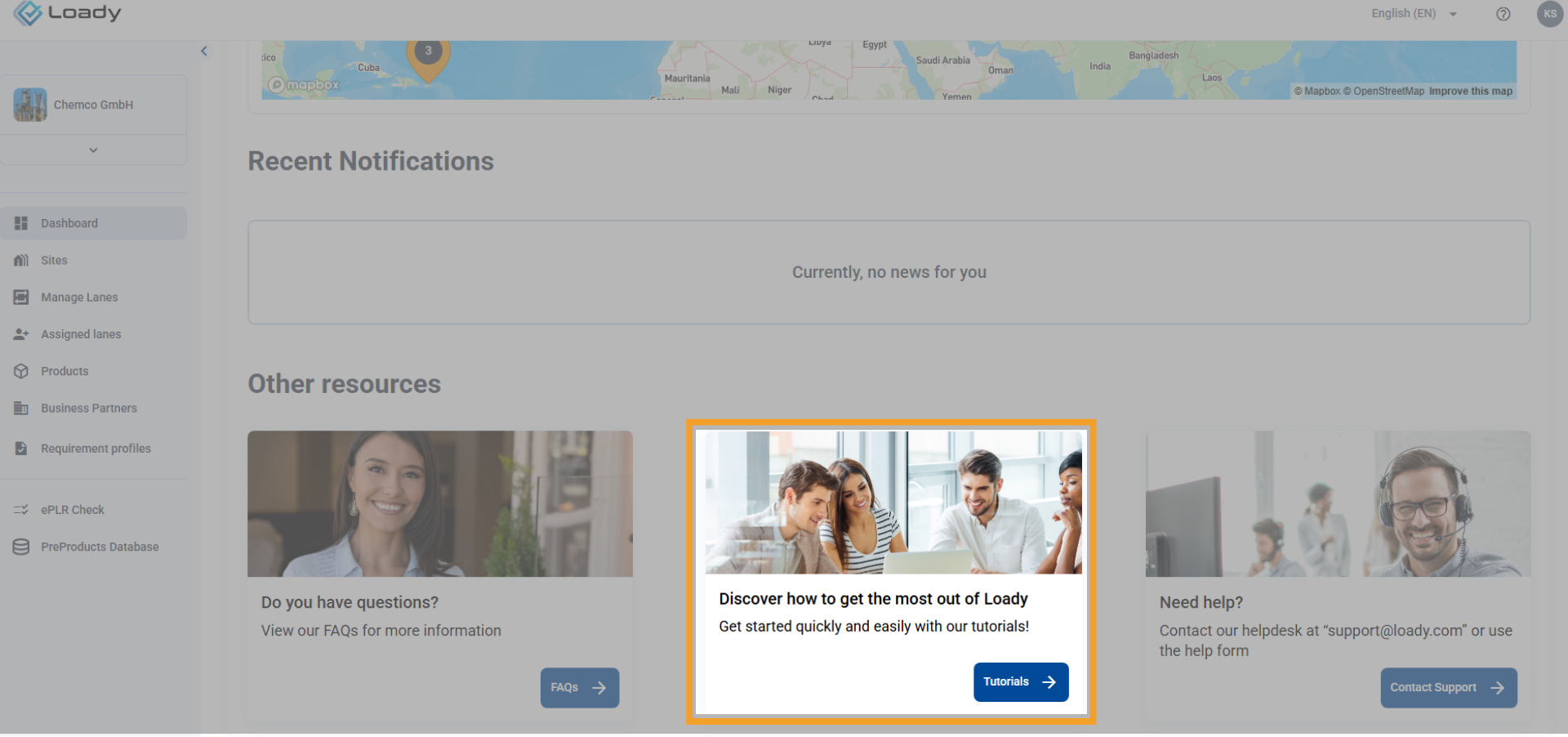
Loady offers various tutorials. You can access the latest tutorials directly in Loady via the dashboard or through the following link: Tutorials
In addition, other tutorials are available to you, which are stored centrally within your organization (e.g., cloud storage). For these, please contact your internal Loady representative. We are continuously adding new tutorials and are planning a central location within the application for easy access. We prioritize the creation of tutorials based on our assessment of customer needs.
Should you urgently need a tutorial on a specific topic, please contact support@loady.com. This allows us to take it into account in our internal prioritization.
Transferring data between Loady and other systems requires integration via one of our APIs (Application Programming Interfaces). Loady offers various standardized APIs for different applications. Our customers' IT departments configure these integrations according to their specific needs. This means that data transfer must be individually defined within the customer's business processes.
Please contact the responsible integration manager or IT department directly. They can explain exactly how data transfer between Loady and other systems is initiated and executed.