
Key takeaways
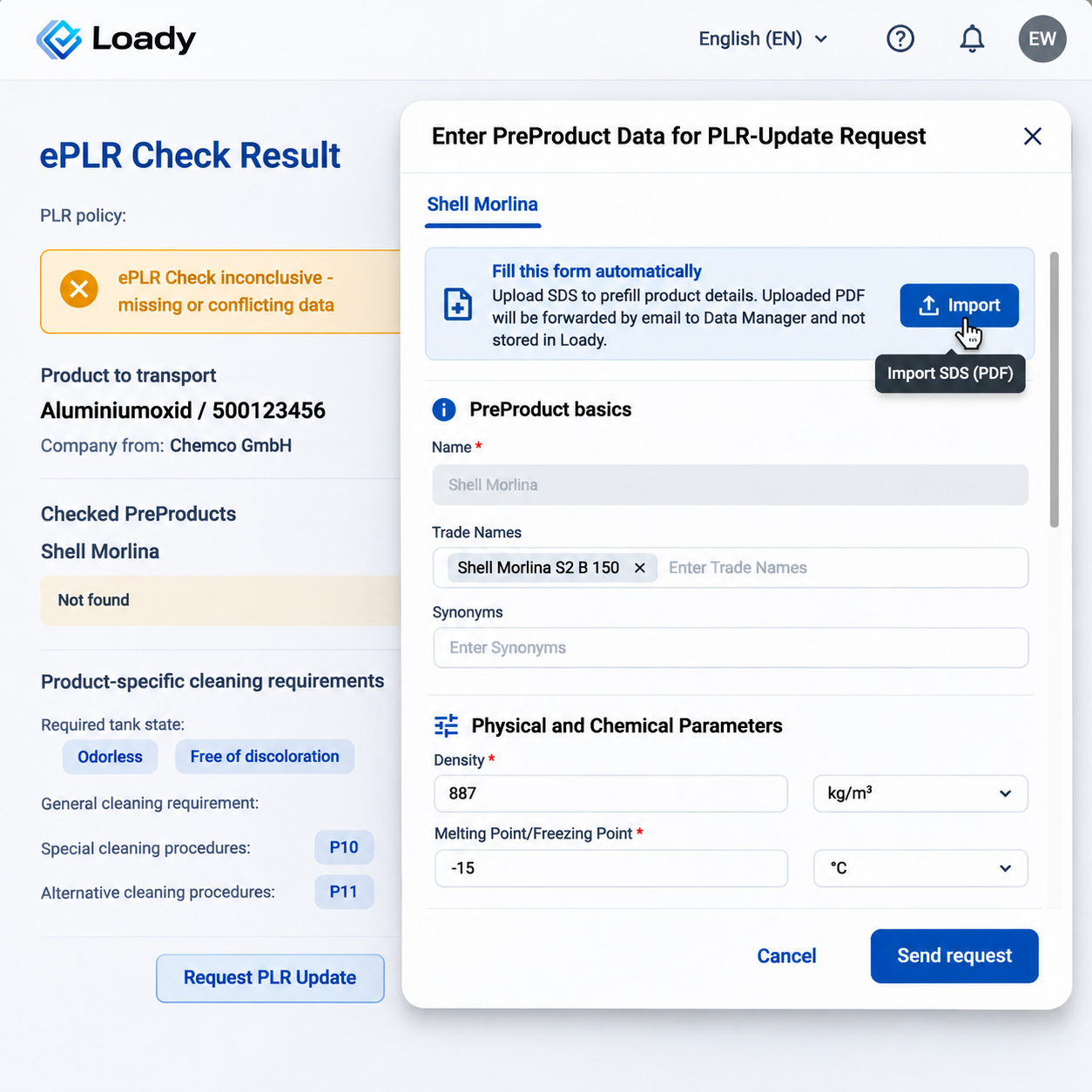
- Safety data sheet instead of manual entry: You can now import a safety data sheet (SDS) as a PDF into the ePLR Check. Product names, synonyms, CAS and EC numbers, parameters, classifications and hazard statements are filled in automatically.
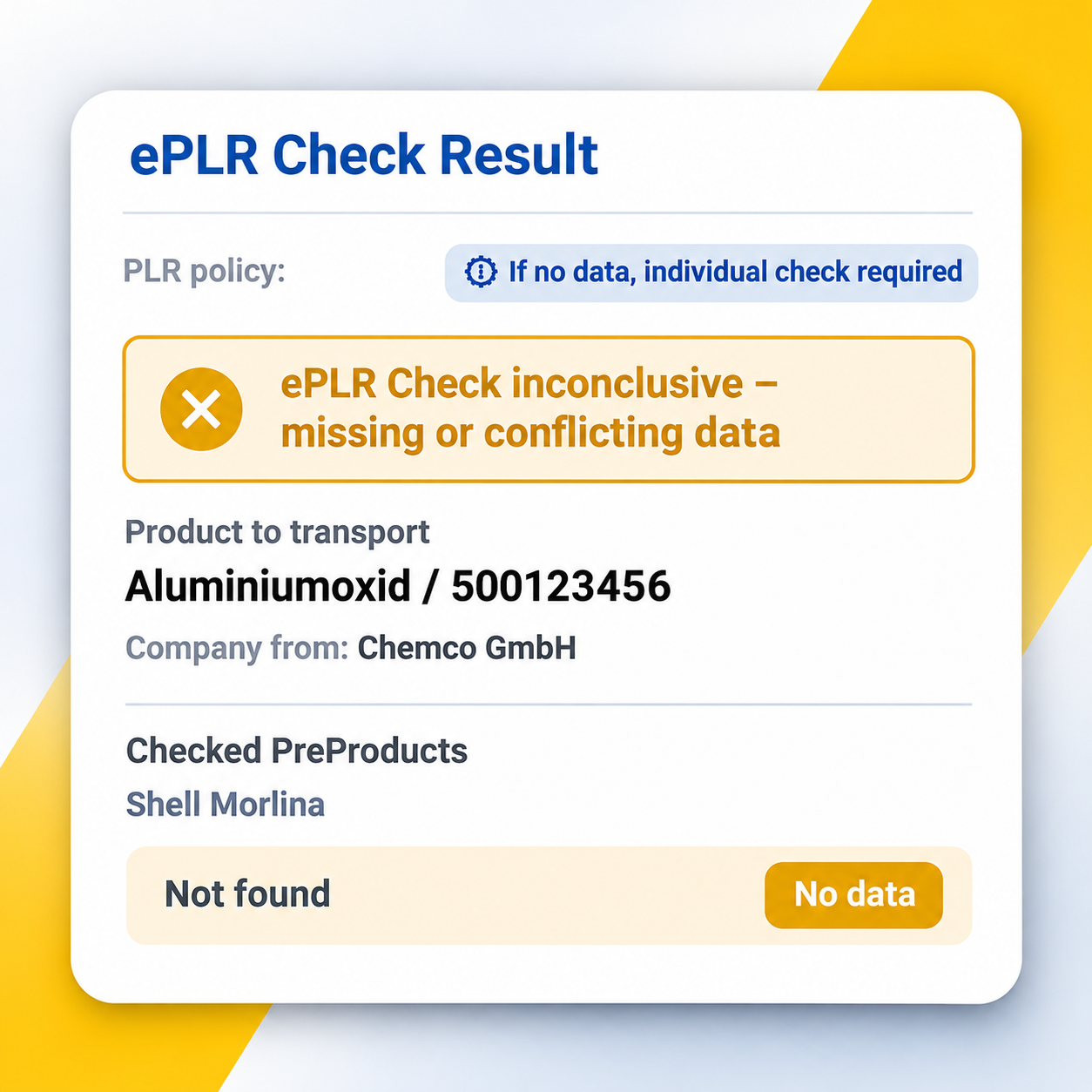
- Quick update when the result is “No data”: If the ePLR Check finds no matching previous load restriction, the carrier can send a request including the SDS to the Data Manager directly from the Loady interface.
- Less effort for Data Managers: New previous load restrictions are also created via SDS import. Only missing information needs to be checked and added.
- Migration and clean-up as a service: On request, Loady takes care of the initial set-up and transfers existing lists into the Loady format, cleaned up.
- Supported by the German research allowance: The development of the ePLR Check is funded under the German research allowance (Forschungszulage).
New in the ePLR Check: fill in previous load restrictions directly from the safety data sheet.
Anyone who maintains previous load restrictions knows the routine: the safety data sheet is open as a PDF, and product name, synonyms, CAS and EC numbers, classifications and hazard statements are copied over by hand, field by field. It takes time and is prone to errors.
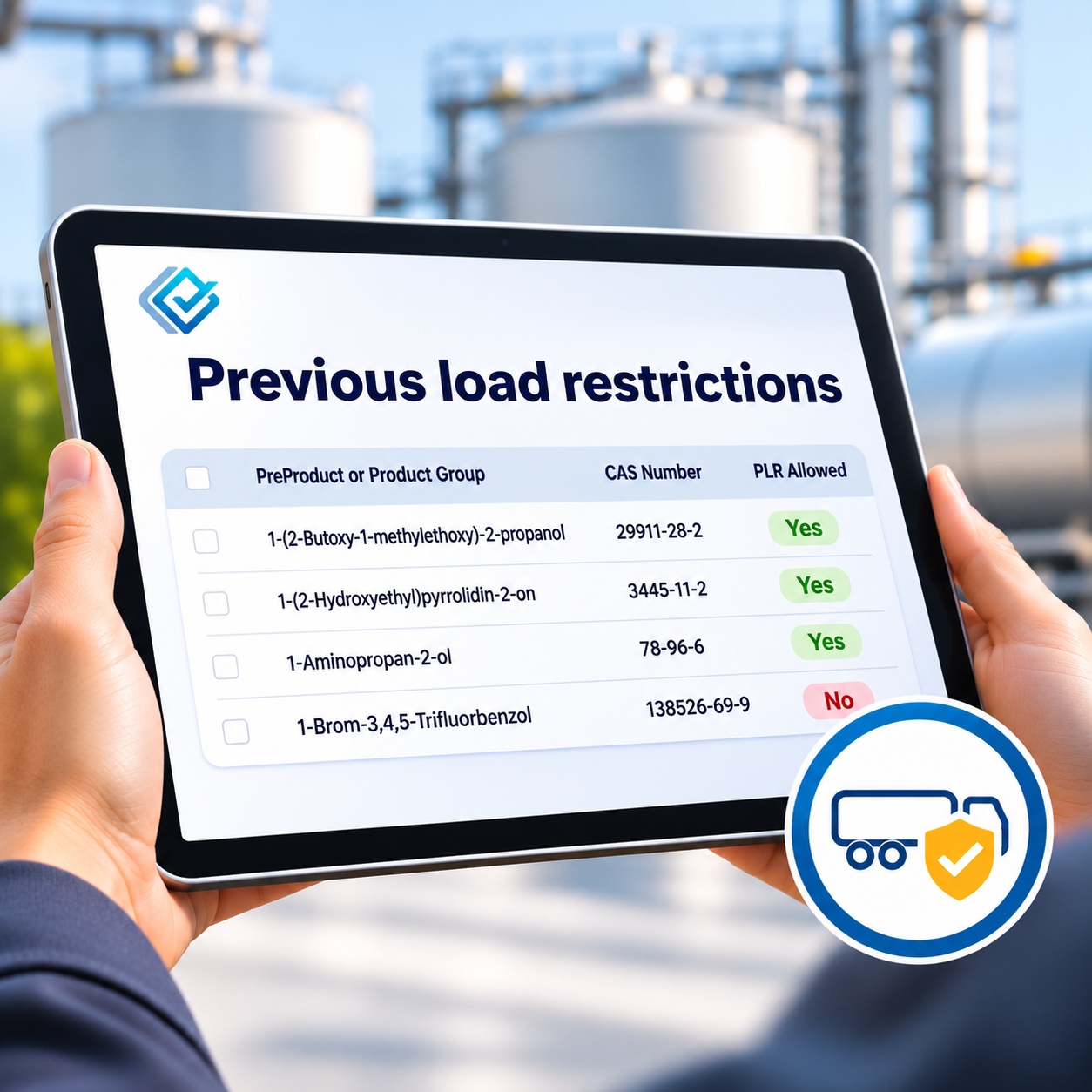
With the ePLR Check (electronic Previous Load Restriction Check), shippers and carriers check during transport planning whether the products previously carried in a tank are permitted as previous loads and whether cleaning is required. How well this works depends directly on the previous load restrictions on file: the more complete and accurate they are, the more products the check reliably recognises.
This is exactly where the new feature comes in.
New: the safety data sheet fills in the form
You can now import a safety data sheet (SDS) as a PDF into the ePLR Check. The ePLR Check extracts the relevant product data and fills in the form automatically:
- product names and synonyms
- CAS and EC numbers
- physical and chemical parameters
- classifications
- hazard statements (H statements)
How a previous load restriction gets updated
If the ePLR Check returns “No data”, there is no matching previous load restriction for that product yet. The carrier then sends a request to the Data Manager directly from the Loady interface and uploads the safety data sheet with it. The form fills itself in automatically.
The Data Manager also creates the new previous load restriction via SDS import. All that is left is to review the prefilled data, especially the derived classifications, and add anything missing. The uploaded PDF is not stored in Loady.
To see the ePLR Check in action, watch our video: Loady ePLR Check
Did you know? Loady migrates and cleans up your previous load restrictions
Many companies already have their previous load restrictions - as Excel lists, in free text or spread across several documents. When you start with the ePLR Check, we can take care of the initial set-up on request: we migrate your existing previous load restrictions to Loady and clean them up along the way, so the check works with accurate data from day one. We have already supported several customers successfully with this service. It runs in four steps:
- Preparation: We analyse your existing lists and transfer them to Excel.
- List revision: We clean up and complete the data, for example with CAS and EC numbers and trade names.
- CSV creation: We convert the data into the Loady format.
- Data upload: We import the file into Loady – ready for the ePLR Check.
Supported by the German research allowance
The further development of the ePLR Check is part of a research and development project for which Loady has received the German research allowance (Forschungszulage). It focuses on two challenges: identifying chemical products unambiguously despite inconsistent naming, and mapping complex, company-specific rule sets, including previous cargo restrictions and cleaning requireemnts, digitally.
Features such as the SDS import are a result of this work: they ensure that product data enters Loady structured and unambiguous from the start.
Try it now
Would you like to maintain your previous load restrictions faster or get your existing lists ready for the ePLR Check? Get in touch: info@loady.com.
Further reading
- Loady receives research grant for ePLR Check
- Loady presents a solution for digital previous load restrictions
- White paper: ePLR Check – structured pre-load restriction data as a cornerstone for digital collaboration in liquid bulk logistics
- Glossary: Previous load restrictions
- ePLR Check: feature overview
- Video: Loady ePLR Check

Frequently asked questions
What is the ePLR Check?
The ePLR Check (electronic Previous Load Restriction Check) uses structured previous load restrictions to check whether the products previously carried in a tank are permitted as previous loads and whether cleaning is required. Shippers and carriers use it during transport planning, via the Loady interface or via API.
Which data does the ePLR Check take from the safety data sheet?
When you import a safety data sheet as a PDF, product names and synonyms, CAS and EC numbers, physical and chemical parameters, classifications and hazard statements (H statements) are filled into the form automatically.
What happens if the ePLR Check returns “No data”?
Then there is no matching previous load restriction for the product yet. The carrier can send a request to the Data Manager directly from the Loady interface and upload the safety data sheet with it. The form is filled in automatically.
Is the uploaded safety data sheet stored in Loady?
No. The PDF is forwarded to the Data Manager by email and is not stored in Loady.
Does the imported data still need to be checked?
Yes. The classifications are derived from the safety data sheet. So please review the prefilled data and add any missing information before you send the request or create the previous load restriction.
How do existing previous load restrictions get into Loady?
On request, Loady takes care of the initial set-up: we analyse your existing lists, clean up and complete the data, convert it into the Loady format and import it. It is then immediately available for the ePLR Check.