Key takeaways
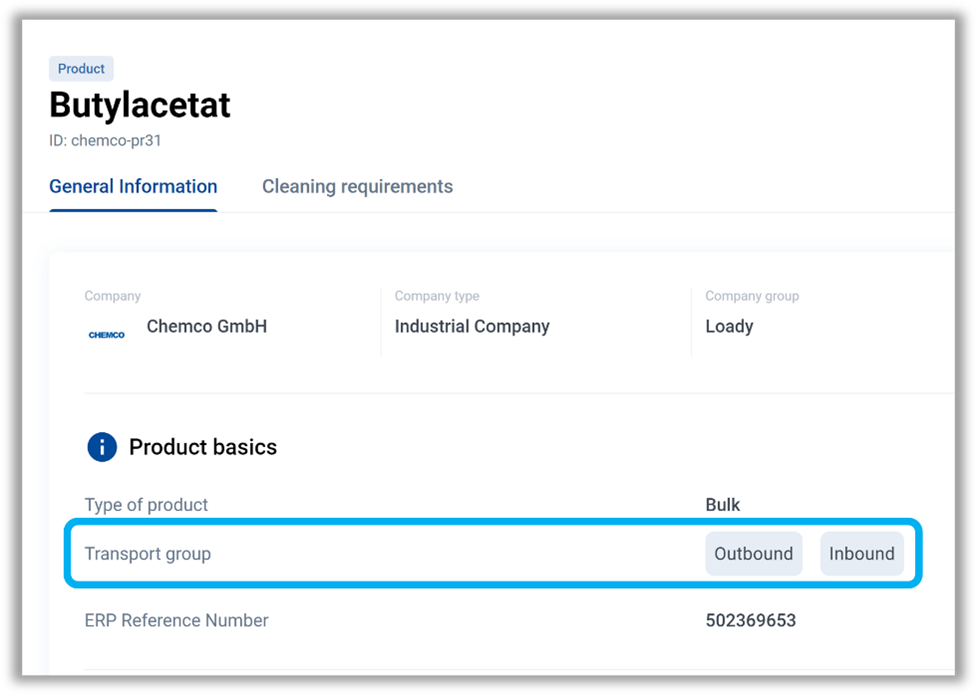
The requirement to input free text data in all languages has been removed, and replaced with a default language requirement for English. As English is the default language for Loady, the text entered in English will be shown to users who are viewing data in Loady in a language, which has not been maintained.
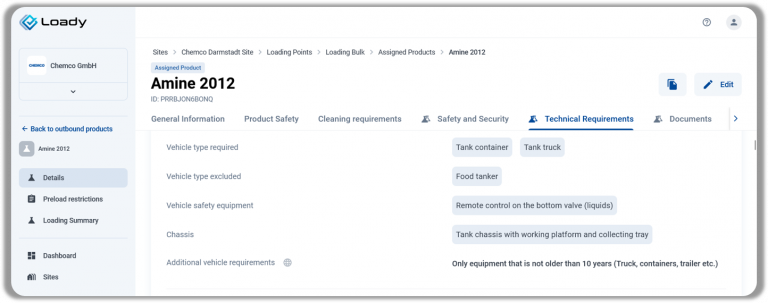
Loady with English selected in language settings, showing English-language free text values for “Additional vehicle requirements”
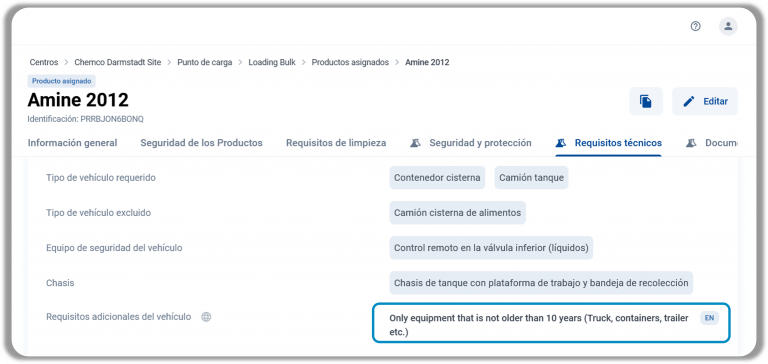
Loady with Spanish selected in language settings, showing English-language free text values for “Additional vehicle requirements” because no data has been maintained in the French language for this field
Changes have been made to both types of free text entry methods on Loady.
1. Free text fields
While it is now required that users maintain their data in these fields in English, the underlying functionality of these fields has not changed. Users can still maintain their data in multiple languages via the language selector in the upper right.
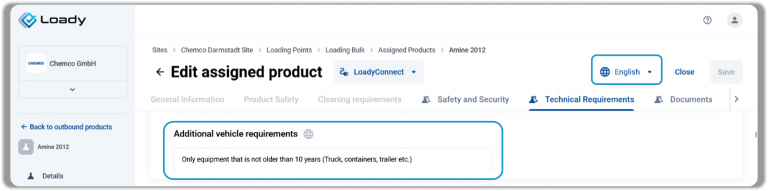
Loady in Edit mode for an Assigned Product with English selected in language settings. The free text field “Additional vehicle requirements” is editable in English as default
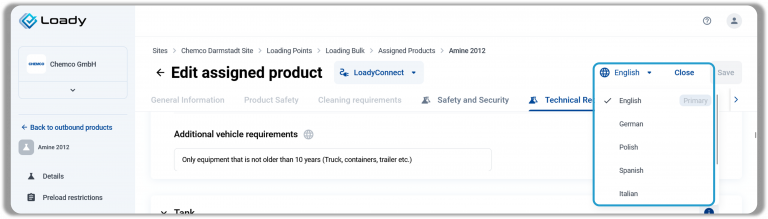
Loady remains in English, but the German-language free text data for “Additional vehicle requirements” is now editable

Loady remains in English, but the German-language free text data for “Additional vehicle requirements” is now editable
2. Free text widgets
The ability to easily switch between languages while maintaining free text data has also been improved. Now, when entering data into a free text widget, the language option is available within the pop up. Simply click on the language option to switch to the next available language, and continue editing your data.
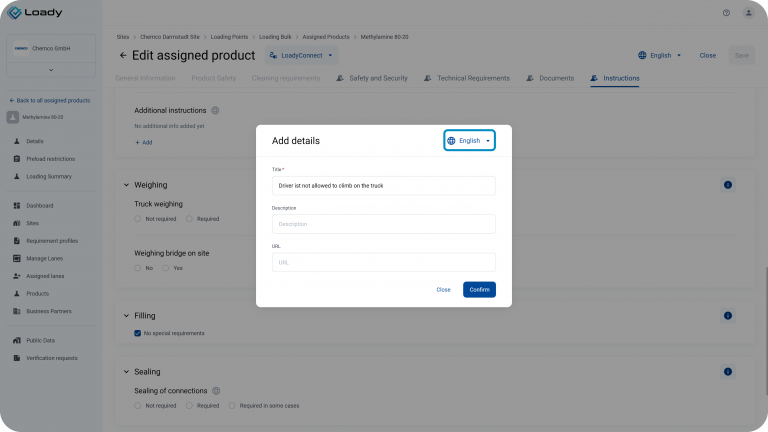
The free text language selector is available within the pop-up window in the top right, allowing the user to select the language they want to maintain next

The Loady interface remains in English, but the German-language free text data for “Additional instructions” is now editable

Loady in View mode for an Assigned Product with English selected in language settings

Loady in View mode for an Assigned Product with German selected in language settings

Loady in View mode for an Assigned Product with Spanish selected in language settings
Because it is now required to maintain data in English, if users begin in another language, and attempt to save without entering any English value, a warning will appear. When clicking the link in the warning, Loady takes the user automatically to the English-language data entry field so the user can input the missing required information. After entering data in English, the user can confirm the entries and save their changes.
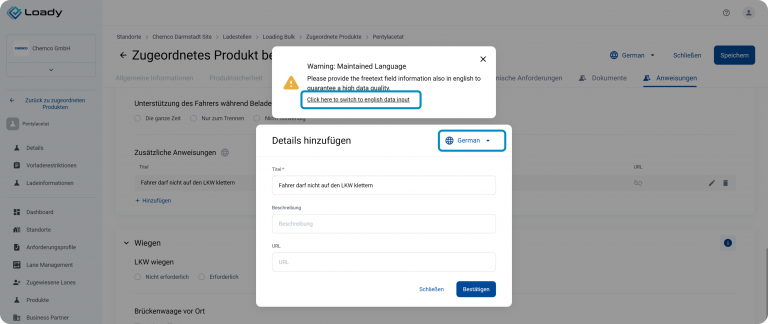
The warning pop-up with a clickable link to take the user to the English-language data entry field
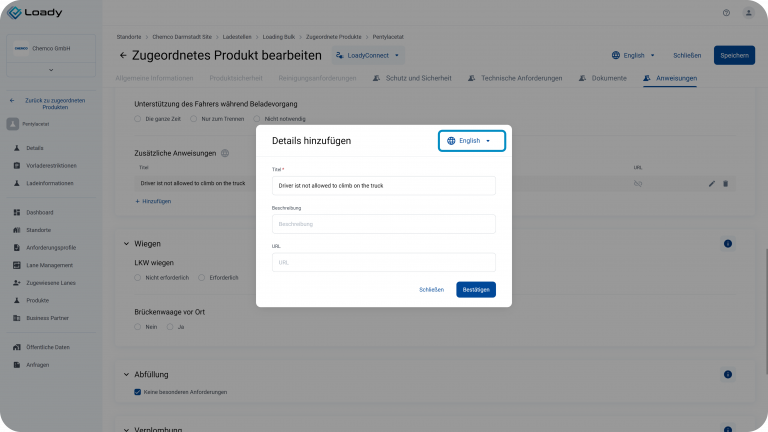
After clicking on the hyperlink in the pop-up, the free text language selector automatically changes to English