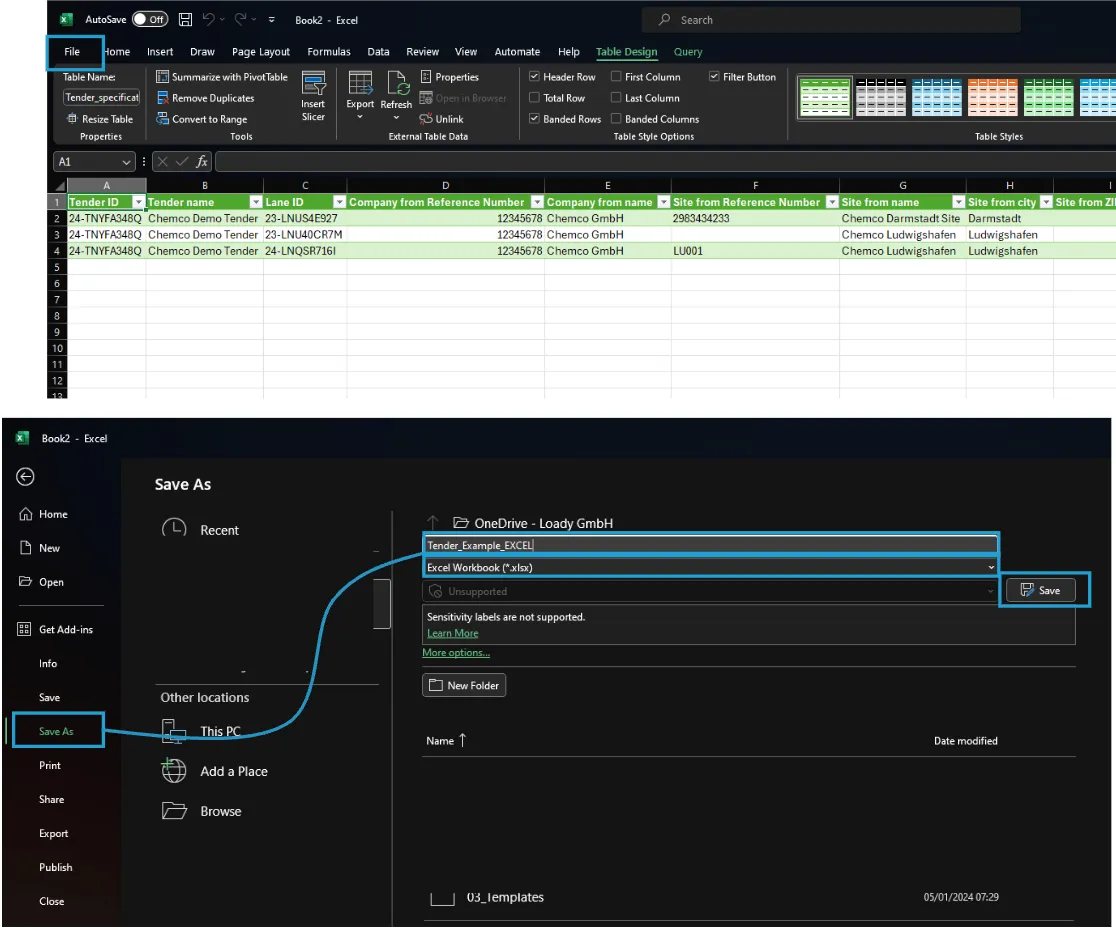
Transformation of the Specification-file from CSV-format to Excel-format
1. Download specifications
Download the specifications of the relevant tender in the Tender section of Loady

2. Move file to required location
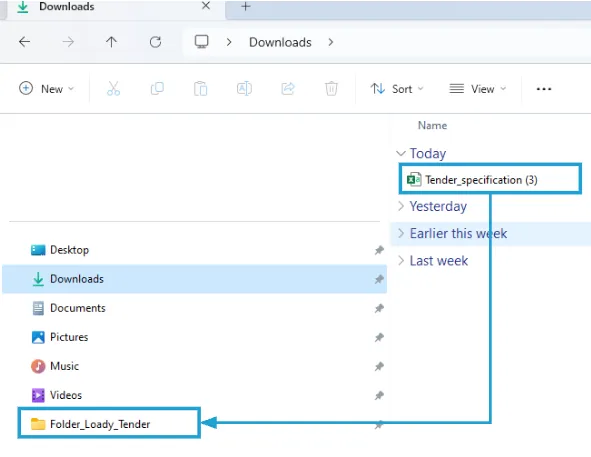
You will find the downloaded file in the Downloads-folder of your explorer. If necessary, rename the file and move it to the desired storage location
3. Open blank Excel-worksheet
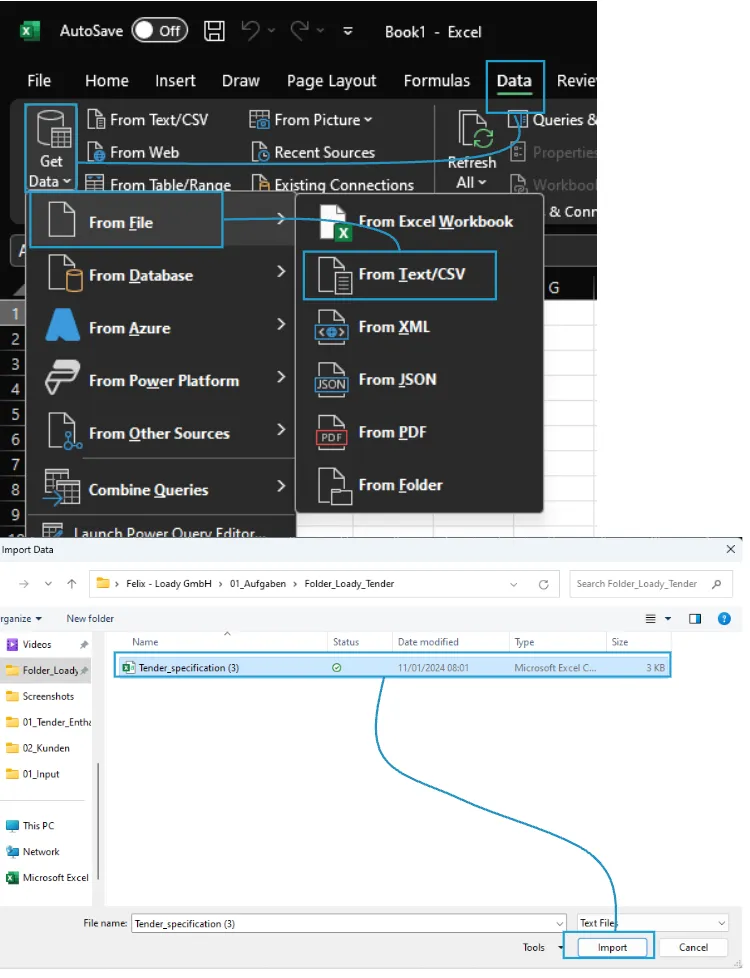
Open a blank Excel-worksheet and go to the Data-tab, then to Get data – from File – From Text/CSV, select your specification file and click the Import-button
4. Load data into Excel
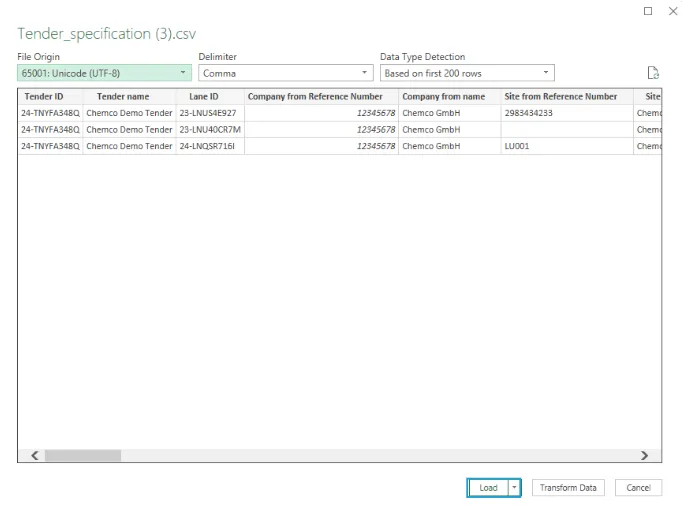
A new window is automatically opened by Excel. Click on the Load-button
5. Save file in Excel-format
Go to the File-tab, then click Save as, select a desired storage location and a suitable name. Make sure that .xlsx-Format is set. Click on the Save-button