
Overview of updates
Product News Q1 2026
New Features
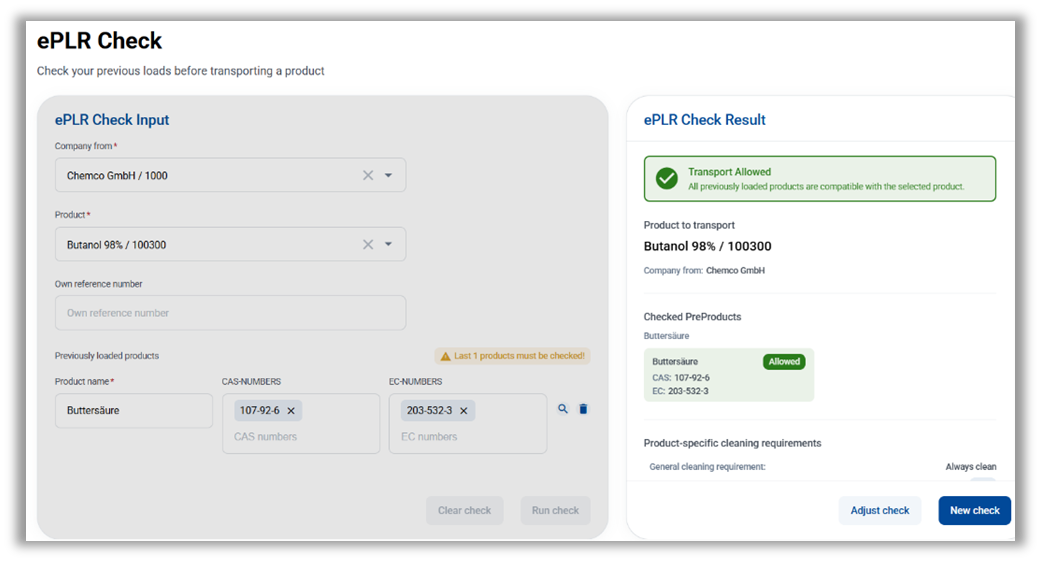
ePLR-Check (Electronic Previous Load Restrictions Check)
- The first version of the ePLR Check can be used by both industrial companies and logistics service providers to verify previous load restrictions and cleaning requirements.
- Users have access to a convenient verification interface that allows them to check previous load restrictions for the product to be transported by comparing the last loads with the requirements defined by the shipper.
- Cleaning requirements are also a key part of this functionality. Both required and prohibited cleaning methods for the respective product are identified via the ePLR Check and made transparent for the user.
(A separate subscription is required to use this feature)
Improvements and Extensions
Previous Loading Restrictions
- Labeling of mixtures: Company products and precursor products can now be labeled as mixtures under the Product Classification submodule.
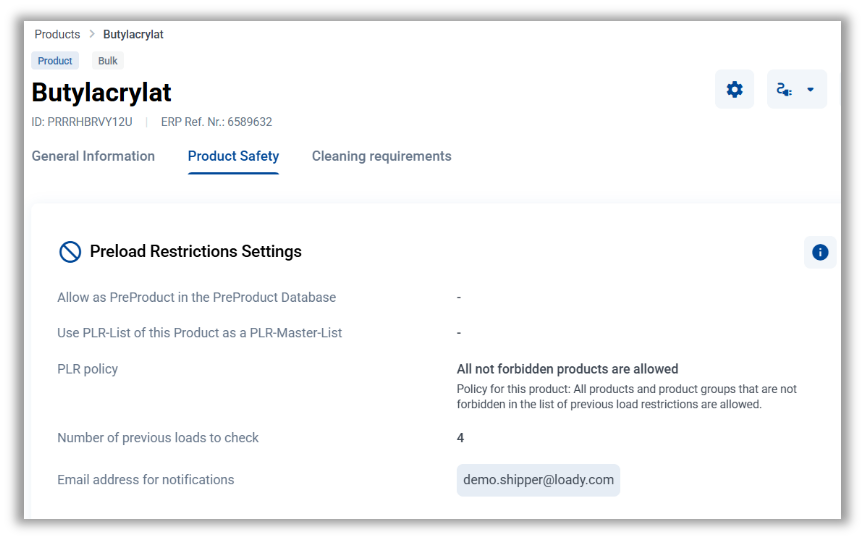
- Number of previous loads: The number of previous loads to be checked can be defined in the company product under the Settings submodule of the pre-load restrictions. The defined number is also displayed in the list of pre-load restrictions above the table. The option “Number of previous loads = 0” can only be selected in conjunction with the PLR policy All non-prohibited products are allowed.
- Introduction of mandatory fields: A PLR policy within the Previous Load Restriction Settings submodule can only be defined if the number of previous loads to be checked is also specified.
- Email address for notifications: This can now be set in the pre-load restrictions settings. It is one of the prerequisites for using the future automated workflow for updating missing data in the pre-load restrictions.
- Two new columns have been added to the previous load restrictions list: Creation Date and Last Update.
- Two new columns have also been added to the list of company products: PLR Master and Number of Preloads. This increases transparency regarding which products already have pre-loadrestriction settings configured and which PLR Masters have been used.
- Additional validation when entering preload restrictions: This helps prevent duplicates - an entry for a specific PreProduct name can only be entered once, unless it is a recipient-specific exception.
New language available
- Loady now also supports Portuguese
New field under Shipment Pre-notification
- Within the Slot Booking module, under the Shipment Pre-notification submodule, additional information can now be entered as free text
Requirement Profiles under Business Partners
- Requirement profiles can now be found in the navigation bar under Business Partners, so that related topics are grouped together
Introduction of filters
- ERP reference numbers: Starting immediately, additional columns containing ERP reference numbers can be filtered in various lists. This simplifies navigation
- Authorization groups: Effective immediately, the Authorization Group column can be filtered within the lists of Inbound Products, Outbound Products, and Company Products
Number of selected items in lists
- In lists where multiple items can be selected, the number of selected items is displayed at the bottom left of the table. You can deselect the items by clicking this display
Improved navigation within lists
- The horizontal and vertical scroll bars and the header bar within lists are now fixed, significantly improving the userexperience
Left navigation bar
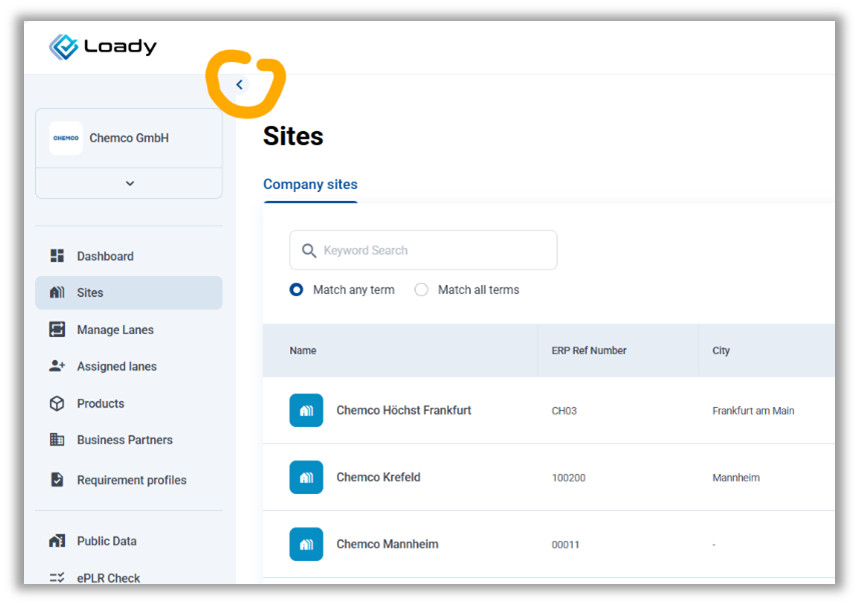
- The left navigation bar can now be hidden to make more room for a page’s main content. This makes it easier to work with extensive lists such as lanes or requirement profiles, as well as with the ePLR check
Site Type
- The field Site Type must be filled mandatorily when creating a new site
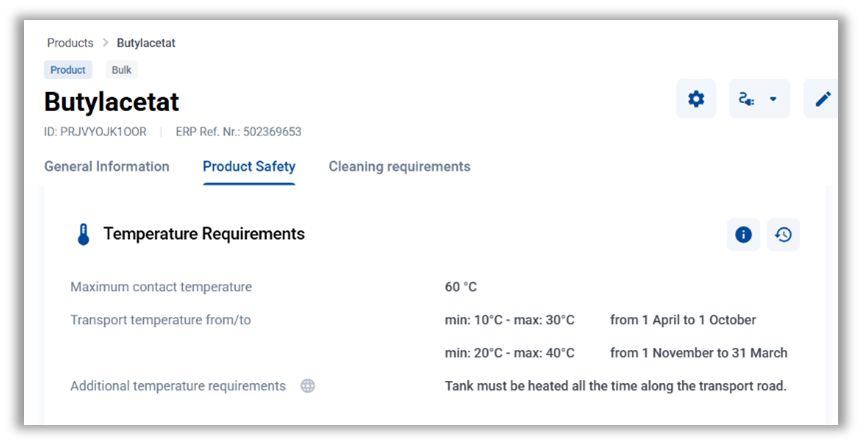
Redesign Temperature Requirements:
- New submodule for temperature requirements at the company product level: Temperature requirements that are independent of the loading point (e.g. contact temperature, transport temperature, protection against frost) can bemanaged centrally at the company product level
- Temperature requirements that vary by loading point – for example, due to geographical conditions – can still be maintained at the outbound product level
- No relationships (inheritance) between requirements at the company product level and the outbound product
- The management of temperature requirements on the customer side (inbound product) remains unchanged
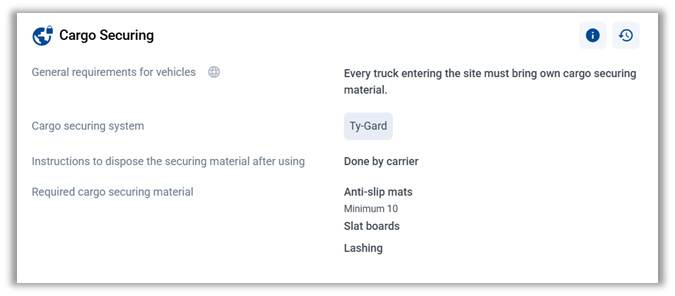
Redesign Cargo Securing
- Simplifying the Cargo Securing submodule results in an optimized structure andimproved user-friendliness
Optimization Loady4Tender
- You can now access the Loady4Tender navigation via the Tenders option in the left-hand navigation bar. Two new columns have been added to the Tender List: Creation Date and Last Updated
Organizedentries in the selection of personal protective equipment
- Unused and duplicate entries were removed, and existing entries were consolidated to improve clarity
Loading and unloading times
- Stariting immediately, loading and unloading times can now also be updated via CSV upload (previously, only initial setup via CSV upload was possible). In this process, the existing data in Loady is overwritten with the data from the CSV file
Marking CSV uploads or migrations
- Objects created or updated by the system aspart of CSV uploads or migrations will now be marked as Import in the Creation Date and Last Update columns
Public APIs
- Starting immediately, half-lanes can also be created and transmitted via the existing Lane API. This enables the implementation of use cases in which only the requirements on the sender’s or customer’s side are relevant, such as self-pickup processes.
Bugfixes:
- Pop-up warning for assigning products to a master: Before a product can be assigned to an outbound or inbound master, a pop-up warning now appears again, reducing the risk of accidental data overwriting
- Search results are displayed according to the settings: When you select OR search or AND search, the results are displayed according to the selected setting